
Bring in any spreadsheet
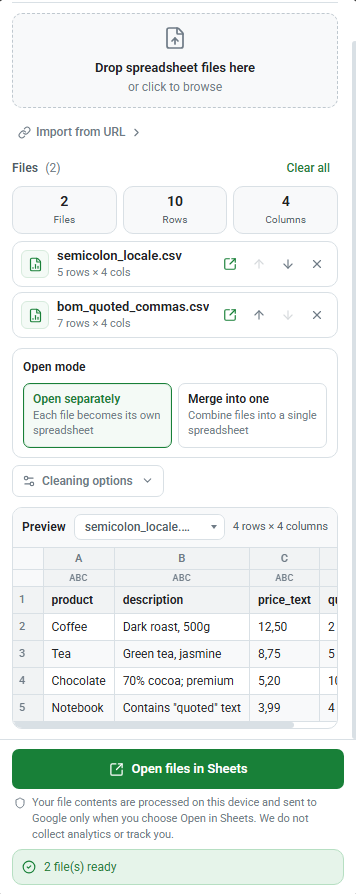
Drop files into the Chrome side panel, browse from your computer, or import from a URL.
- CSV
- TSV
- XLSX
- XLS
Drop in a spreadsheet, tidy it up, and open a polished Google Sheet. Drag to Sheets keeps the messy middle quick, visible, and on your device.
How to use Drag to Sheets
Drop a CSV, TSV, XLSX, or XLS file into the Chrome side panel, review the cleanup, then open a clean result in Google Sheets.
Drop files into the Chrome side panel, browse from your computer, or import from a URL.
Apply the cleanup you need before anything reaches Google Sheets, with a preview of the result.
Open files separately or merge them into one sheet with smart header matching and custom column mapping.
Open a clean result in your Google account through the official Sheets and Drive APIs. See the privacy policy for data handling.
Ready when your next file is
Free to use, built for Chrome, and made for the work that happens before the Sheet is ready.
 Add to Chrome